
Power Dialer vs Predictive Dialer: Which One Should You Use?
Power dialer vs predictive dialer: compare speed, agent control, abandoned-call rules, and caller experience to pick the right fit.

VoIP Anchor is independent. No provider pays to be featured or reviewed. Our disclosure
On this page
- What Is an Auto Dialer?
- How Does a Power Dialer Work?
- How Does a Predictive Dialer Work?
- Power Dialer vs Predictive Dialer: How Do They Differ?
- What Changes for Agents and Callers?
- Are Predictive Dialers Illegal?
- How Do Progressive and Preview Dialers Compare?
- How Do Dialers Work With VoIP?
- Which Dialer Fits Your Campaign?
- What Should You Check Before Choosing a Dialer?
- Can Dialing Patterns Hurt Caller ID Reputation?
- Conclusion
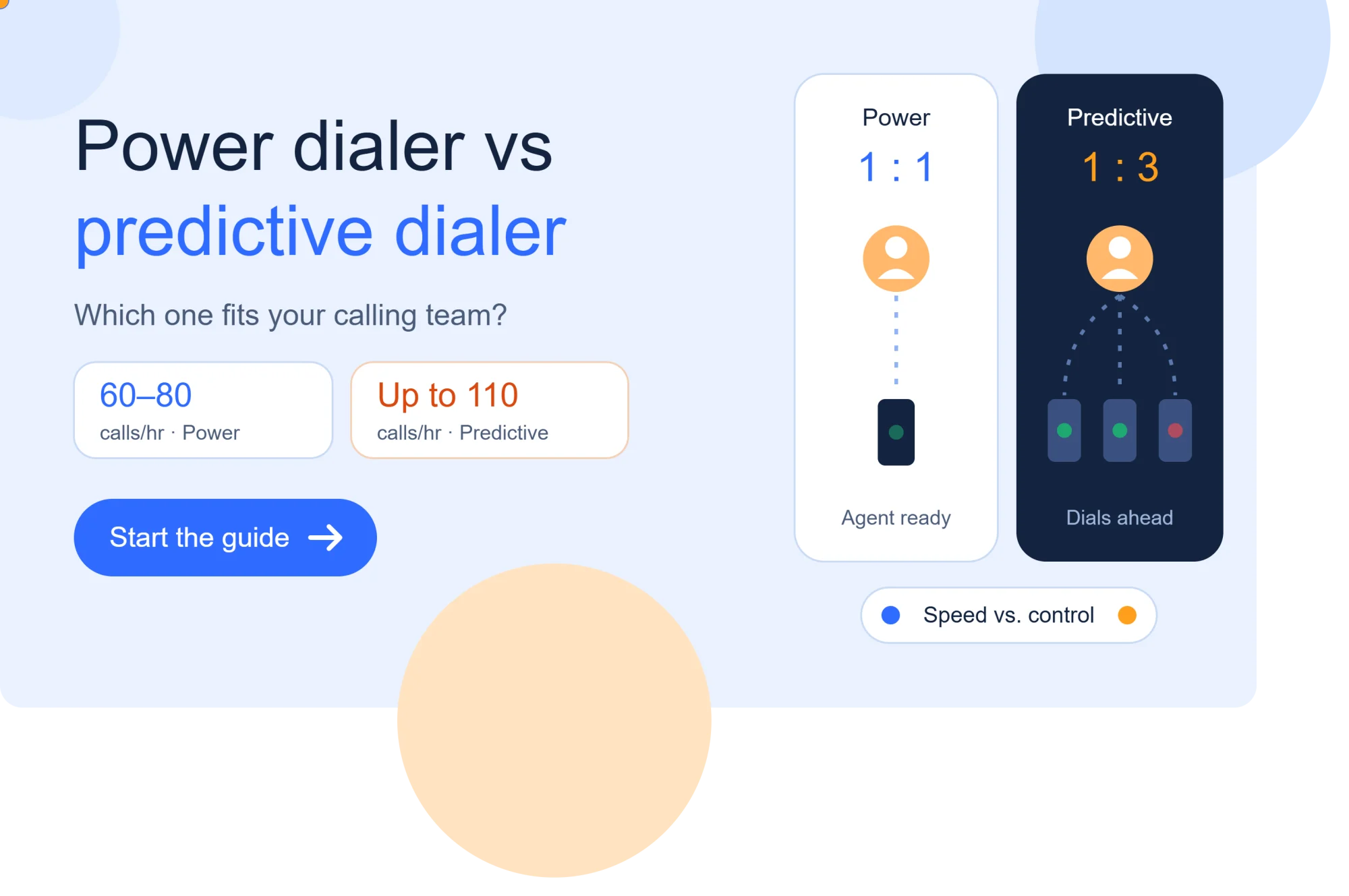
A predictive dialer may place up to 110 calls per hour, compared with an estimated 60-80 for a power dialer. A sales team calling a short list of valuable prospects has a different need from a call center reaching thousands of people with a simple script.
Choose a power dialer when contact quality, agent control, and relationship-building matter most. Consider predictive dialing only for very high-volume campaigns that can manage its added operational and compliance risks.
The right fit depends on your campaign goals, list quality, staffing, and the value of a live conversation. The next sections explain automated dialing before comparing trade-offs and helping you choose a fit.
What Is an Auto Dialer?
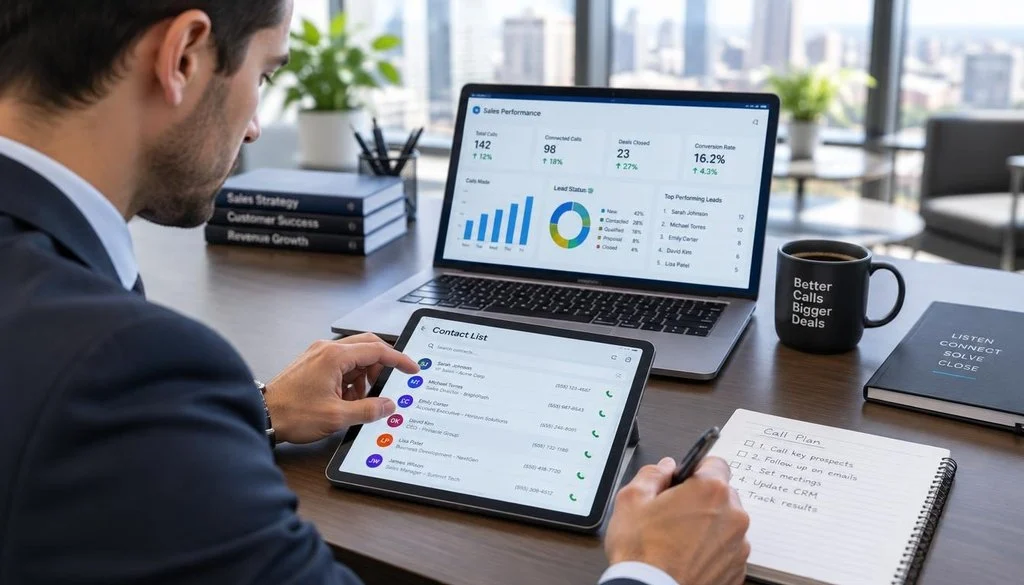
An auto dialer automatically places calls to numbers in an assigned contact list, while the label covers more than one dialing method. Auto dialer names the broad category, not one specific way to pace calls.
A predictive dialer is one type of auto dialer, while “auto dialer” describes the wider group. Power and predictive dialers both use a system to call numbers from a list.
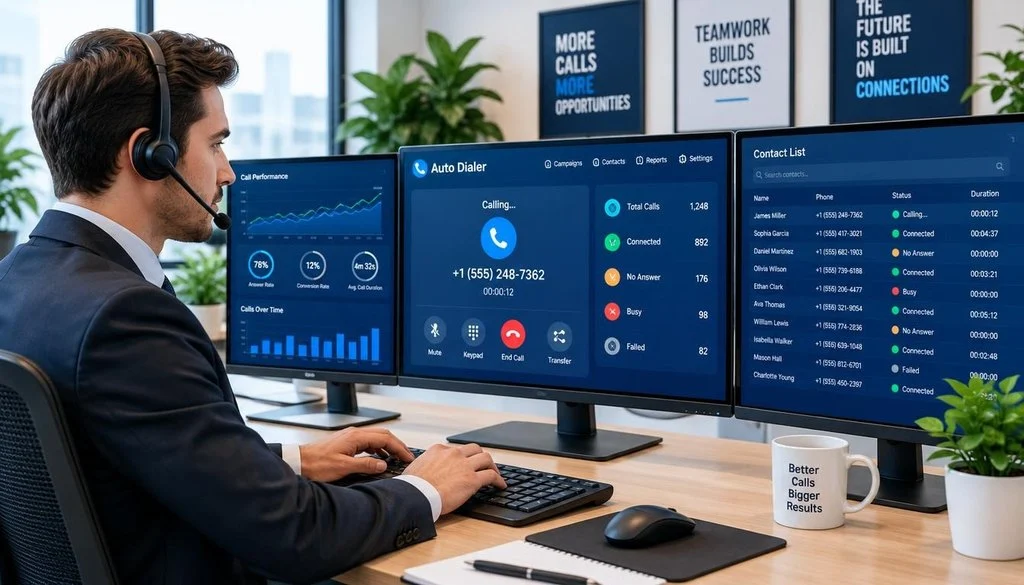
That distinction answers the main question: a predictive dialer is a specific kind of system, and an auto dialer is the broader category. The terms are related, but they are not interchangeable.
Some auto dialers start one call for each available agent. Others use predictive dialing to place calls ahead of agent availability.
The type affects how calls reach agents and how much control each rep has between conversations. It also shapes the pace of work and the risks a team must manage.
Auto dialer software may include contact tools, call reports, and settings for different dialing methods. Features vary by system, so the category alone does not tell you what a product can do.
To compare methods, start with the sequential approach. It gives agents more control over when the next call begins.
How Does a Power Dialer Work?
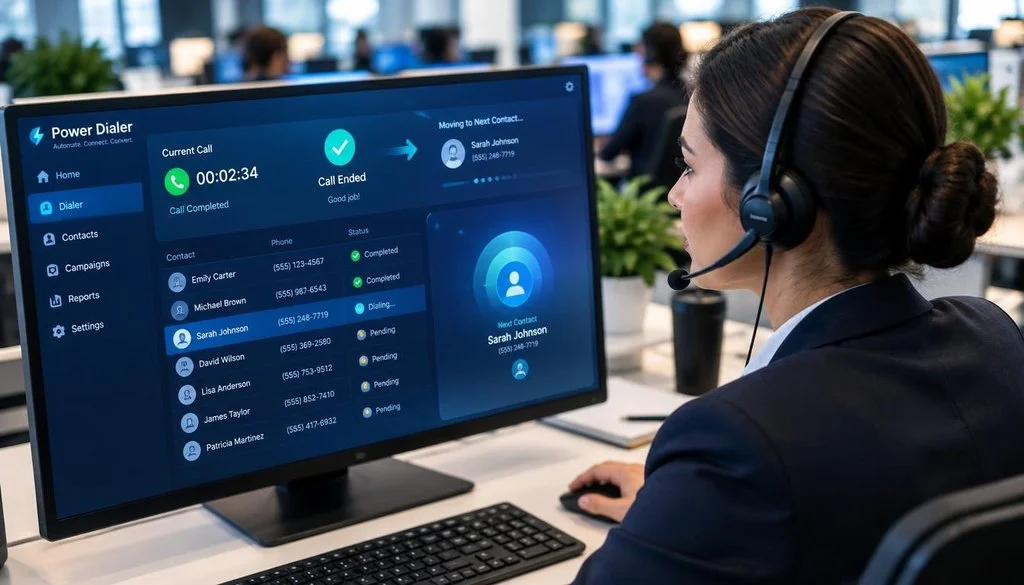
After an agent finishes a conversation and is ready, the system places the next call in the sequence. A power dialer follows a 1:1 model, with one call for each available agent.
The next call starts when the agent is ready, rather than while the agent is still busy. This lets a rep move through a contact list without juggling several ringing lines.
The one-at-a-time calling sequence
The dialer works through assigned numbers in order or by rules set for the campaign. When an agent becomes available, the system calls the next contact.
If someone answers, the call connects to that agent. If the contact does not answer, the system records an outcome and moves through the campaign according to its settings.
This pace differs from manual dialing because the dialer starts each call. The agent does not need to look up and enter every number by hand.
Still, the system does not guarantee that every call connects smoothly. Network problems, invalid numbers, and other technical issues can affect a call.
What the agent controls
After a conversation, the agent can record notes or a call outcome before moving on. The rep can also prepare for the next contact instead of reacting to another line ringing.
That breathing room can help when a conversation varies in length or needs careful follow-up. An agent can finish the current task before starting another one.
Because the system does not dial ahead of agent availability, this model avoids abandoned calls caused by dialing ahead. It does not remove every possible call failure.
The slower sequence offers more control, but predictive dialing estimates when agents will become free.
How Does a Predictive Dialer Work?
A predictive system tries to have a live answer waiting when an agent becomes free by placing calls in advance. Predictive dialing aims to keep call volume high and reduce agent idle time.
It can dial several numbers before an agent is available, so more than one person may answer at once. That dial-ahead approach creates the speed-versus-connection trade-off.
How the pacing estimate is made
The dialer reviews call and agent activity to estimate when agents will become free. It can use answer rates, recent call duration, and current agent availability.
Those patterns help the system choose how many numbers to dial. The setting may change as call results and agent activity shift.
A 1:3 dialing ratio is one example: the system dials three numbers for each available agent. That ratio illustrates a possible setting, not a universal rule.
If few people answer, dialing ahead may keep agents from waiting. If many people answer, the same approach can create more live answers than agents can handle.
What happens when too many people answer
When several people answer at once, the system may not have a free agent for every live answer. Some calls may be dropped, or callers may hear silence before connection.
The system’s estimates cannot make answer rates or call lengths certain. A sudden change in either can leave the dialer with a poor match between live answers and free agents.
That is the core risk of dialing ahead: a person can answer before an agent is ready. The effect reaches both call volume and the experience of agents and callers.
Those mechanics lead to the practical trade-offs in volume, conversation quality, and agent experience.
Power Dialer vs Predictive Dialer: How Do They Differ?
The key difference is the outcome each system prioritizes, not simply how quickly it can place calls. A power dialer keeps one call tied to an available agent, while a predictive dialer dials ahead to raise activity.
Choose based on whether your campaign needs agent readiness or higher call volume. That choice affects control, connection timing, and the kind of conversation your team can support.
In a power dialer, an agent finishes a call before the next one starts. The rep has more control over the pace and can prepare for each contact.
Predictive dialers can place multiple calls for each available agent. That may keep a large team busier, but it can also leave a live answer waiting without an agent.
One campaign-oriented estimate puts power dialer activity at 60-80 calls per hour and predictive dialer activity at up to 110 calls per hour. These are estimates, not promised results.
Actual call volume depends on list quality, answer rates, conversation length, and staffing. A high number of dials does not by itself show how many useful conversations the team had.
Power dialing can suit work where one good conversation matters more than rapid turnover. It can also give reps more room to listen and record accurate notes.
Predictive dialing puts more weight on call volume and agent utilization. Its faster pace may suit simple, high-volume work, though the team must manage timing and connection risks.
Neither method guarantees a live conversation or a set number of calls. List results and campaign needs shape what the dialers deliver.
The key differences are pacing, agent control, live conversation readiness, and the balance between raw activity and contact quality. Next, consider how those differences feel to agents and the people they call.
What Changes for Agents and Callers?
A person answering a call expects a human response, not a pause that leaves them wondering whether the connection worked. Connection timing shapes how a call feels from the first few seconds.
Predictive dialing can create a 1-3 second silence while an answered call connects to an agent. That delay does not happen on every call, and people may react to it in different ways.
With a power dialer, an agent has more room to prepare and focus on the person answering. The rep can listen, take notes, and handle conversations that do not all end at the same speed.
That control can matter in sales calls that need questions, context, or a careful reply. A rushed transition can make it harder to give each contact the attention the conversation needs.
Predictive campaigns can move agents quickly from one call to another. Some teams may find that pace useful, while others may find it tiring or hard to manage.
A caller who hears silence may wonder if anyone is there or if the call failed. Some people may wait; others may hang up.
The experience also depends on the script, the agent’s approach, and the contact’s reason for answering. A well-prepared agent can make a strong conversation, but timing still affects the opening.
For agents, the balance is between time to prepare and a steady flow of calls. For callers, it is whether a live person responds promptly and clearly.
Connection timing makes the human effect visible, and it leads to the legal question of how abandoned calls are regulated.
Are Predictive Dialers Illegal?
Predictive dialing is not automatically illegal, but covered telemarketing campaigns must meet applicable rules. Legality depends on the campaign, the calls, and the laws that apply.
The FTC Telemarketing Sales Rule safe harbor limits abandoned calls to 3% of calls answered by a person. The rule also sets conditions for when a call counts as connected.
The FTC abandoned-call safe harbor
Under the safe harbor, a live representative must connect within two seconds after the person finishes their greeting. A compliant recorded message may play instead.
The 3% limit is measured over a single campaign lasting under 30 days. For a longer campaign, the limit applies to each successive 30-day period.
An abandoned call is an answered call that does not connect to a live representative within the required time. The safe harbor describes a way covered telemarketing campaigns can meet the abandoned-call rule.
The limit does not mean that every predictive dialer setup is lawful. A team must consider whether the rule covers its calls and whether it meets the safe harbor’s conditions.
What teams still need to verify
Other federal and state rules may apply to a campaign. Consent, calling windows, and do-not-call requirements can also affect whether a call is allowed.
Requirements can depend on the call’s purpose, the number being called, and the way the campaign operates. Avoid assuming one rule covers every list or call type.
Check current obligations with qualified compliance counsel before launching a campaign. This is general information, not legal advice for a specific business.
Compliance is one operational concern; teams also need to consider whether people keep answering the caller ID.
How Do Progressive and Preview Dialers Compare?
Teams that want more automation without dialing ahead can consider progressive or preview modes. Progressive dialing keeps calls at 1:1, while preview dialing gives an agent contact details before a call.
A predictive dialer places calls ahead of agent availability; a progressive dialer waits until an agent is free. These methods offer different ways to manage pace and preparation.
Predictive dialer vs. progressive dialer
Progressive dialing starts the next call when an agent is available. It follows a 1:1 model instead of placing several calls in advance.
That makes its pace more closely tied to the agent’s readiness. Predictive dialing uses estimates to dial ahead and can place multiple calls for an available agent.
The main difference in a predictive dialer vs progressive dialer comparison is agent-ready pacing versus predictive dial-ahead. Progressive dialing can suit teams that want automated calling without the same dial-ahead approach.
Progressive dialing does not mean an agent chooses every number by hand. The system can still move through a list and start a call when the rep is ready.
How preview dialing prepares an agent
A preview dialer shows a contact record before placing the call. The agent can review notes, account details, or other available context first.
This can help a rep prepare for a conversation that needs personal or account-specific details. The agent may have time to check the record before speaking with the contact.
Preview dialing focuses on what the agent sees before a call, while progressive describes when the system starts the next call. These modes can support different workflows.
Teams can choose among these methods based on the work itself, not just the label. The next question is how dialing systems connect with business phone services and apps.
How Do Dialers Work With VoIP?
A dialer decides whom to call and when, while VoIP provides the voice connection over the internet. VoIP means voice calls carried over internet protocol.
The dialer controls the next contact, and the VoIP service carries the call. The two functions may sit in one app or in connected business tools.
Using a dialer inside a VoIP app
An agent may work from a contact list or a customer relationship management system, often called a CRM. The app can show the person’s details and start or receive the call.
The agent speaks through a headset, computer audio, or another device connected to the app. The dialer chooses the contact, while the VoIP service carries the voice.
Some teams use a desktop softphone, a software phone that runs on a computer. The agent can manage calls and contact records from the same workspace.
That setup can reduce switching between tools, though the exact workflow depends on the service and its features. Not every app connects to every CRM or contact list.
Dialers outside a VoIP app
Dialer functions may also sit in a separate contact-center or calling platform. That system can connect to a business phone service and manage a campaign’s contact flow.
The phone service carries the calls, while the separate platform may handle dialing, call records, or agent tools. Which functions are available depends on the products and their connections.
Some setups use a VoIP service, while others may connect to a different business phone system. The term dialer describes call selection and timing, not a specific phone network.
Before building a workflow, check which tools share contact records and call outcomes. The technical setup should support a dialing method that matches campaign needs.
Which Dialer Fits Your Campaign?
A team following up with valuable leads has different priorities from a large operation running brief, standardized calls. The campaign goal should guide which dialer you choose.
A power dialer often fits valuable or complex conversations; predictive dialing may fit very high-volume work with simple scripts. Team capacity and contact value matter as much as list size.
When a power dialer is a better fit
Consider a power dialer for warm leads, higher-value sales, and relationship-driven outreach. It can give agents more room to prepare and respond to each contact.
It can also suit complex conversations that need questions, account details, or careful follow-up. Agent control may help when the right next step depends on what a person says.
Sales teams calling a focused list may value conversation quality over the number of dials. A slower pace can make it easier to note what happened before the next call.
That does not mean every sales campaign needs one method. Match the dialer to the contact’s likely needs and the work agents must do.
When predictive dialing may fit
Predictive dialing may fit very high-volume campaigns with low-value contacts and simple scripts. The team needs enough staffing to handle its operational and compliance risks.
A large list alone does not prove predictive dialing is right. If the campaign needs personal attention or has few agents, dialing ahead may create poor connections.
The best dialers to use depend on your use case, not a universal ranking. The best dialer for calling is the one that supports your campaign and agents.
No single dialer is best in the world for every team. Before committing, check whether the platform and campaign process can support your choice day to day.
What Should You Check Before Choosing a Dialer?
A suitable dialing model can still fail if it does not fit the team’s records, workflow, and safeguards. Check the daily process before you commit to a dialer.
A dialer should work with your contact data, agent tasks, call records, and campaign safeguards. A poor fit can slow a team or leave important call outcomes untracked.
CRM, list, and agent workflow
Check whether the dialer can use your CRM and contact lists as intended. Confirm which contact fields and notes agents can see during a call.
Review how the system records call outcomes and handles callbacks. Agents need a clear way to mark follow-up needs, wrong numbers, and completed conversations.
List quality matters: check that records are current and usable for the campaign. Outdated numbers can waste agent time and distort call results.
Plan for agent training and adoption, not just setup. Reps should know how to start calls, record outcomes, and handle contacts who need another response.
Reporting and safeguards
Ask what reports show about calls, outcomes, and agent activity. For campaigns where abandonment matters, check whether the team can monitor abandoned calls.
Review consent records, do-not-call processes, and allowed calling windows before launch. Make sure staff can follow those steps within the dialer workflow.
Check whether the platform offers controls for number reputation and campaign monitoring. No single feature replaces a sound calling process.
There is no reliable cross-vendor price comparison here, and costs depend on the service and setup. Avoid assuming a dialer will pay for itself in a fixed period.
Once the records, workflow, and safeguards fit, consider how repeated call patterns can affect caller ID reputation.
Can Dialing Patterns Hurt Caller ID Reputation?
A caller ID’s reputation can suffer when repeated calls leave people with silence, abrupt disconnections, or little reason to trust the number. Repeated poor calls may frustrate recipients and prompt them to report a number.
Short or dropped calls can contribute to caller complaints and carrier spam labeling, but no dialing model guarantees a label. Call patterns and recipient responses matter.
When a number often reaches people without a clear conversation, recipients may stop answering or report the calls. Carriers may use reports and call patterns when labeling numbers as spam.
A power dialer or predictive dialer does not automatically cause a spam label. The way the team calls, the list it uses, and the response from recipients all matter.
Branded caller ID and carrier spam labeling are separate systems. Branding can show a business name, but it does not repair a poor calling pattern.
Use clear openings and avoid call behavior that leaves people unsure why they were contacted. Review caller feedback and connection results as the campaign runs.
Choose the method that protects the value of each conversation, then test it with a limited campaign before expanding.
Conclusion
For most teams calling people whose time and interest matter, a live conversation is more valuable than maximizing dials alone. Agent readiness often makes the power dialer the better starting point.
Consider predictive dialing only when very high-volume outreach justifies its added work and your team can manage compliance. A larger number of calls is useful only if the campaign can handle the connections it creates.
Run a limited campaign with the intended list and team. Review live conversations, agent experience, abandoned calls where relevant, and caller feedback before scaling.
Test the chosen approach against real campaign outcomes before expanding it.

3 Comments