
Explained: What is VoIP and How does it work?
VoIP sends your calls over the internet instead of a phone line. Here’s how a call travels, what equipment you need, what affects quality and cost, and how to choose a provider.

VoIP Anchor is independent. No provider pays to be featured or reviewed. Our disclosure
On this page
- What Does VoIP Explained Mean for Everyday Calls?
- How Does a VoIP Call Travel From Speaker to Speaker?
- Which Devices Can You Use for VoIP Calls?
- How Does VoIP Compare With Landlines and Cellular Calls?
- What Does a Modern Business VoIP System Include?
- How Do Businesses Route Calls With VoIP?
- Which VoIP Features Change Daily Work?
- What Affects VoIP Call Quality and Reliability?
- What Should You Know About VoIP Security and 911?
- How Much Does VoIP Cost, and What Drives the Bill?
- How Do You Choose a VoIP Provider and Get Ready?
- Why Do Cellular Networks Use VoIP Too?
- Conclusion
- FAQ
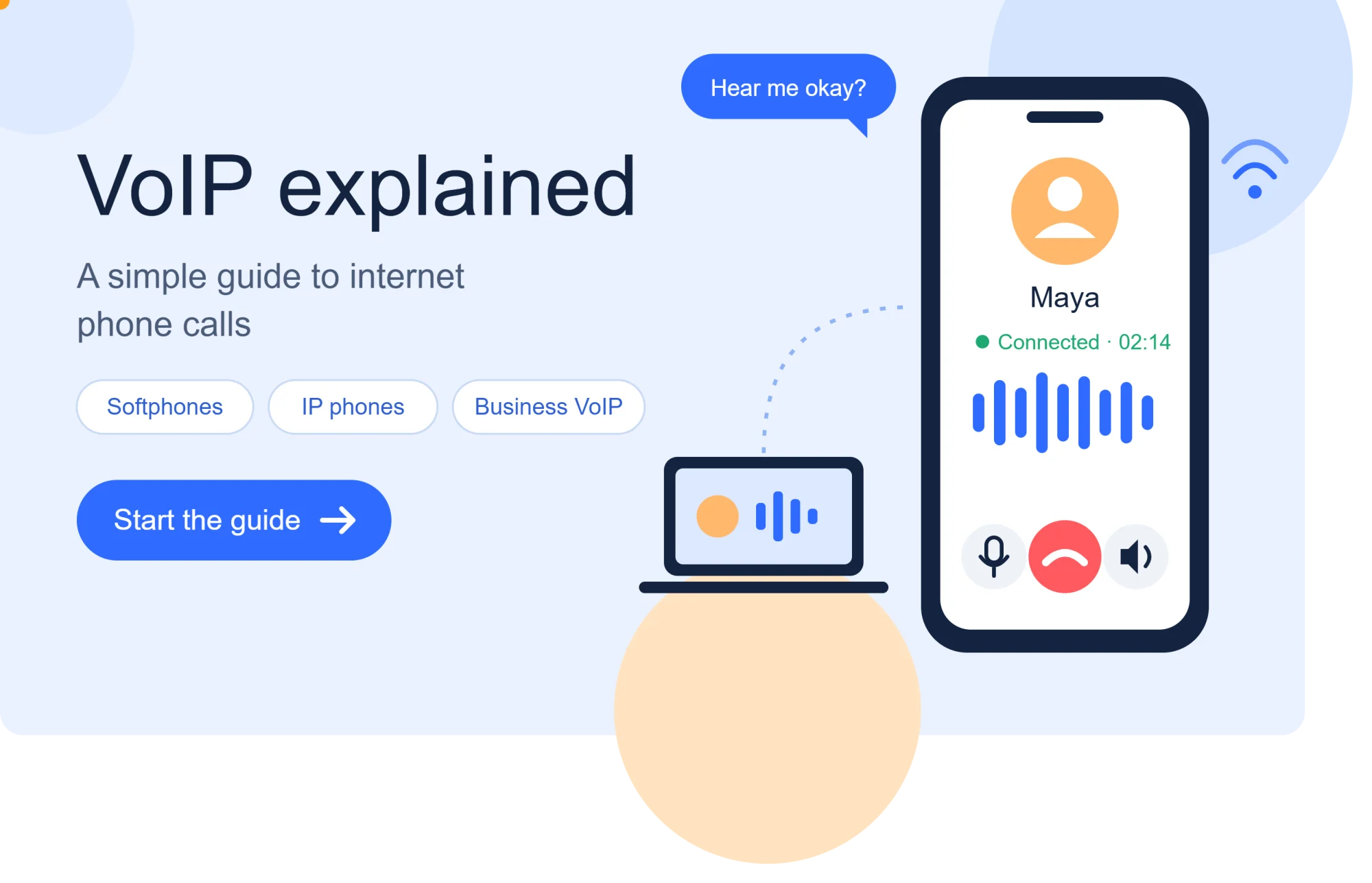
While Maya is away from her desk, a work call arrives. She launches a calling application on her laptop, dons a headset, and takes the call from a secluded area of the office. The conversation resembles any typical phone call, despite not utilizing a traditional phone line.
VoIP helps make sense of a kind of calling you may already use at work or at home. Internet calls can happen through a computer app, a desk phone, or a mobile service. Modern business phone systems use the same broad technology to connect employees and customers.
You will learn what changes when a call travels over an internet connection instead of a dedicated phone line, and what that means for everyday communication.

What Does VoIP Explained Mean for Everyday Calls?
VoIP sends a conversation through an internet connection instead of a dedicated traditional phone line. Voice over Internet Protocol, or VoIP, carries voice calls as data over IP networks.
Digital voice is audio represented as digital data. A data packet is a small bundle of digital information sent across an IP network, like a small parcel carrying part of a message.

When you speak into a microphone, a device turns the sound into digital information. Software sends that information across an IP network, where the other person’s device turns it back into sound.
The internet connection carries the information, but it does not by itself provide phone service. A VoIP service routes calls and connects you with other people, including people using ordinary telephone numbers.
This is the simple idea behind “VoIP for dummies” and “VoIP for students,” without assuming you know networking terms. Think of voice internet as speech packed into digital pieces, sent through a network, and played aloud at the far end.
The phrase internet protocol describes rules devices use to send information across networks. In everyday communication, those rules let voice and other data travel over the same internet connection.
This definition describes the audio’s path, not every step that makes a live call work. The call also needs a way to connect the two sides and manage the sound while you talk.
How Does a VoIP Call Travel From Speaker to Speaker?
Just after you tap or press the call button, your VoIP endpoint sends a request to start a call. Call setup software finds the other endpoint and establishes a session.
SIP commonly sets up and manages the call, while RTP carries real-time audio and video. These protocols handle different parts of the connection.

Once the call connects, your microphone captures your voice. A codec encodes the audio into digital form, then software divides it into packets for the network.
Codecs, which encode and decode audio, affect sound quality and data use. G.711, G.729, and Opus are common examples, each with different ways to balance those needs.
The packets may travel along different paths and arrive at slightly different times. At the receiving end, software puts the audio back in order, decodes it, and plays it through a speaker or headset.
SIP helps endpoints begin and manage a call session. RTP carries the media itself, such as voice or video. Together, these parts let software handle the call without you seeing the network work.
If the other person uses a regular telephone rather than an internet-based endpoint, the call can connect to the regular telephone network. Your conversation can still reach that person through a different network link.
The setup signal and the sound travel through different parts of the call system. Now the invisible process can be matched to the devices you might use to talk.
Which Devices Can You Use for VoIP Calls?
You can open a calling app on a laptop or pick up a desk handset made for an IP network. Your best fit depends on where you work and what equipment you already have.
A VoIP call can use an app, an IP phone, or an adapter for an existing telephone. Each choice connects to an internet connection in a different way.
Make calls with a softphone
A softphone is an application on a computer or mobile device. It uses the device’s microphone, speaker, and internet connection to make calls.
A remote worker might use a softphone on a laptop with a headset. It suits people who move between locations or want calling and computer work on one screen.
Use a dedicated IP phone
An IP phone connects directly to an IP network over Ethernet or Wi-Fi. It looks like a desk phone, but it uses network access rather than a traditional phone line.
A reception desk may use an IP phone because staff want a familiar handset and visible buttons. The phone still needs a compatible service and the right setup.
Connect an existing telephone with an adapter
An analog telephone adapter connects a conventional analog phone to an IP network. It lets you keep using a familiar telephone while an adapter links it to the service.
An adapter does not turn every phone into a standalone internet device. The adapter needs its own network connection and compatible service.
| What connects | Existing equipment needed | Typical fit |
|---|---|---|
| Softphone: app over internet | Computer or mobile device | Remote worker with headset |
| IP phone: handset to Ethernet or Wi-Fi | Compatible IP phone | Desk with regular call traffic |
| Adapter: analog phone to IP network | Conventional analog phone | User keeping an existing handset |
The same internet-based call can use different equipment. Its route also differs from the familiar paths used by landline and cellular calls.
How Does VoIP Compare With Landlines and Cellular Calls?
A desk phone may rely on installed telephone service, while an app can make a call over Wi-Fi. The call path depends on the type of service you use.
A landline depends on its installed service, cellular voice depends on carrier coverage, and app-based VoIP needs internet access. These options do not share the same connection needs.
| Call path | What the call depends on | Where you can use it |
|---|---|---|
| Traditional landline over dedicated lines | Installed phone service | At the connected location |
| Carrier cellular voice over mobile network | Carrier network and coverage | Where the carrier has service |
| App-based VoIP over an IP network | Internet connection and service | Where you can access the internet |
Traditional phone service has used dedicated lines and the public switched telephone network. App-based VoIP instead uses an IP network, such as broadband at home or Wi-Fi at a workplace.
Carrier mobile voice increasingly uses IP too. VoLTE carries calls over 4G LTE, and Vo5G, also called Voice over NR, carries them over 5G.
Someone might use VoIP instead of a cell phone to answer a shared business number, call from a computer, or use internet-based business features. That choice can suit a work setting, though it is not always better for every caller.
An internet-based call can fail when its required connection is down. It can also stop during a power outage if the router or phone has no backup power.
The call path changes with both the service and the setting. Businesses can also choose where their phone system runs and who maintains it.
What Does a Modern Business VoIP System Include?
A small business must decide whether a provider or its own staff will manage the phone-system infrastructure. That choice shapes who runs the system and handles upkeep.
A hosted VoIP system runs with a provider, while a private VoIP system runs within the organization’s infrastructure. A hybrid system combines parts of both.
A provider-hosted cloud phone system
A hosted VoIP system runs in a provider’s infrastructure. The provider maintains the main system, while employees connect through a local network or a remote internet connection.
A small company with staff in several locations might choose this approach. It avoids the need for that company to run the core phone system on its own premises.
A private phone system run by the organization
A private VoIP system operates within an organization’s infrastructure. The organization takes responsibility for its system, software, and ongoing maintenance.
A larger organization with staff who manage its network may prefer this setup. It gives the organization more control over how its system is run.
A hybrid system that connects old and new equipment
A hybrid system combines hosted and private parts, or connects newer IP equipment with older phone equipment. The exact design depends on the organization’s current setup.
A business replacing phones over time might keep some existing equipment while moving other calls to a newer service. This can help it make a gradual change.
| System location | Main maintenance responsibility | Typical use |
|---|---|---|
| Hosted: provider infrastructure | Provider maintains core system | Small firm with remote staff |
| Private/on-premises: organization infrastructure | Organization maintains system | Business seeking more control |
| Hybrid: provider and organization systems | Shared by provider and organization | Company moving in stages |
Businesses have been shifting toward hosted or cloud phone systems. Private systems remain an option when an organization wants more control over its phone setup.
VoIP services can use different deployment models, but each still needs a way to route calls. That routing helps a caller reach the right person or team.
How Do Businesses Route Calls With VoIP?
A customer can dial one company number and reach the right team through call routing. The phone system directs calls among staff, departments, and outside numbers.
A PBX routes calls among extensions and can manage voicemail and conferencing. An IP PBX performs these tasks through internet protocol networks.
For example, a customer calls a store’s main number and chooses sales from a menu. The system can send the call to a sales extension or a group of available staff.
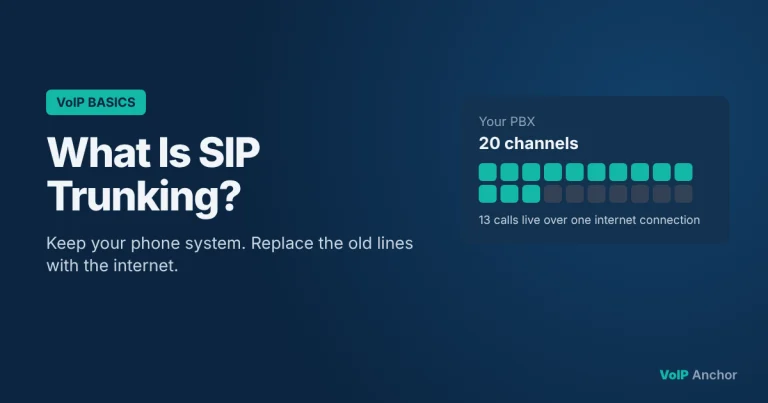
A business can connect an IP PBX to a phone provider through a SIP trunk. The trunk links the PBX to the provider’s telephone network and can carry multiple call channels.
SIP trunk prices in the stated example range from $15 to $25 per month. Providers may offer metered or unmetered options, but that figure covers a trunk example, not a full business VoIP service.
The PBX manages calls inside the organization, while the SIP trunk carries them between the business system and the wider telephone network. A business needs both pieces to connect internal extensions with outside callers.
Routing rules can direct calls based on the number dialed, a menu choice, or staff availability. A simple setup might send unanswered calls to voicemail after ringing a department.
A SIP trunk is one part of a phone system, not its total monthly cost. Once a call reaches the right place, staff and customers can use other tools during and around it.
Which VoIP Features Change Daily Work?
A caller who reaches a company after hours may hear a message and leave voicemail, or be sent to another contact. Call features help businesses shape that experience.
Business VoIP can guide callers, help teams handle customer calls, and link calling with other work tools. The exact options vary by service and plan.
Direct callers to the right person
Interactive voice response lets callers choose from menu options, such as billing or support. Automatic call distribution can then send each call to the right group or available staff member.
Call forwarding can send a call to another phone when an employee is away. A customer who presses the support option could reach a staffed queue, then a backup number if no one answers.
Manage and learn from customer calls
Call recording can help a support team review a conversation, subject to its policies and applicable rules. Call analytics can show patterns such as call volume and wait times.
Voicemail-to-email sends a message or notice to an inbox. A support lead can spot an urgent customer message without sitting beside the office phone.
Bring calling together with other work tools
A softphone lets staff make calls through computer software. Presence can show whether a coworker is available, while video conferencing supports face-to-face meetings online.
Click-to-call can start a call from a number shown on a screen. CRM integration links calling tools with customer records in customer relationship management software.
These tools are examples of unified communications, where calling and other work channels share a system. Their usefulness depends on how well the business sets them up.
A feature on a service plan does not mean a business has configured it well. Good tools still need clear, dependable audio, which depends on the network.
What Affects VoIP Call Quality and Reliability?
A conversation may sound fine until several people start using a busy office connection. Shared network traffic can affect how well voice packets arrive.
Congestion can cause latency, jitter, and packet loss, each of which can harm a call. A few network settings and connection choices can help limit these problems.
Give voice traffic enough bandwidth
Bandwidth is the network capacity available to carry data. A business needs enough for its simultaneous calls as well as other uses, such as video meetings and file transfers.
A wired connection can offer a steadier path than Wi-Fi for a desk phone or computer. The amount of available broadband capacity still matters when many people share it.
Keep delay and jitter under control
Latency is the time it takes data to reach the other side. High latency can make a conversation feel delayed, especially when people talk over one another.
Jitter is variation in that delivery delay. A receiver may briefly buffer packets to manage late or out-of-order arrivals, but buffering can add delay to the conversation.
Reduce packet loss and protect call traffic
Packet loss happens when some data packets fail to reach their destination. Missing audio pieces can make speech sound choppy or incomplete.
Router QoS, or quality of service, settings can prioritize delay-sensitive voice traffic. A VoIP packet loss test can help diagnose a connection, but it cannot guarantee call quality under every real-world load.
Testing while a network is quiet may miss problems that appear during a busy workday. Check how calls sound when people use the connection for their normal tasks.
A stable network can improve calls, but it cannot remove every dependency. Power, security, and emergency calling still need attention.
What Should You Know About VoIP Security and 911?
A home power outage can leave someone unable to use an internet-connected phone to call for help. Emergency access depends on the service, connection, and available power.
Some VoIP services handle 911 differently from traditional phone service. Confirm your provider’s 911 support and keep any required service address current.
An internet outage can interrupt calls, and a router or phone may stop working without power. Backup power or another connection can help, but its limits depend on your equipment and service.
Protect accounts with strong passwords and keep devices and software current. Use encryption where your service supports it, especially for calls or account access.
In the United States, interconnected VoIP providers have had 911 responsibilities dating to June 2005. Emergency calling can still work differently from traditional phone service, so do not assume every service offers identical support.
Interconnected VoIP providers also face CALEA requirements and contribute to the Universal Service Fund. These rules apply to the relevant provider category, not every service that uses internet audio.
A phone number and signal alone do not ensure emergency access during an outage. Keep another way to call for help if your home service depends on power or broadband.
Check emergency arrangements before you depend on a VoIP service. Then consider the monthly bill and any costs beyond the service plan.
How Much Does VoIP Cost, and What Drives the Bill?
A monthly plan is separate from the cost of equipment and services a business may need. The total bill depends on the service and how the organization uses it.
Costs can include service, users or extensions, hardware, optional features, support, and other charges. Compare those items rather than relying on one advertised monthly price.
A service or per-user charge pays for access to the calling system. Phones, headsets, adapters, installation, and staff training may add separate costs.
Optional features and support plans can affect the bill too. Taxes and other applicable charges may also change the amount you pay.
A SIP trunk price example ranges from $15 to $25 per month, with metered or unmetered options. That is a trunk price example, not a quote for a complete phone system.
There is no universal monthly price for a VoIP phone or service. A home user with one app and a business with many users may face very different costs.
Ask providers to show what the quoted amount covers, including setup, equipment, and support. Compare the same number of users and call needs across each offer.
Compare the service charge, equipment, setup, optional features, and support. Then check whether your network and work needs fit the setup being offered.
How Do You Choose a VoIP Provider and Get Ready?
A business manager can start by checking whether the office network can handle the team’s expected call volume. That first check helps reveal likely gaps before service starts.
Compare providers on total cost, reliability, call quality, support, and fit with your current equipment. A test can help, but it cannot replace a real trial under normal use.
Check the network and expected call load
Estimate how many people may call at the same time, then consider other work that uses the connection. Check available bandwidth during busy hours, not only when the office is quiet.
Look for wired connection options for desks with regular calls. A VoIP checker or VoIP readiness test can point out possible network issues before you switch.
A readiness test is a useful starting point, not a promise of smooth calls. Test the actual setup while staff use the network as they normally would.
Compare service, support, and setup needs
Compare the full cost, service reliability, call quality, support hours, and setup steps. Ask who will help staff learn the software and solve problems after launch.
Check whether the service works with existing phones, computers, headsets, and network equipment. A low-cost plan may not suit a team that needs hands-on setup help.
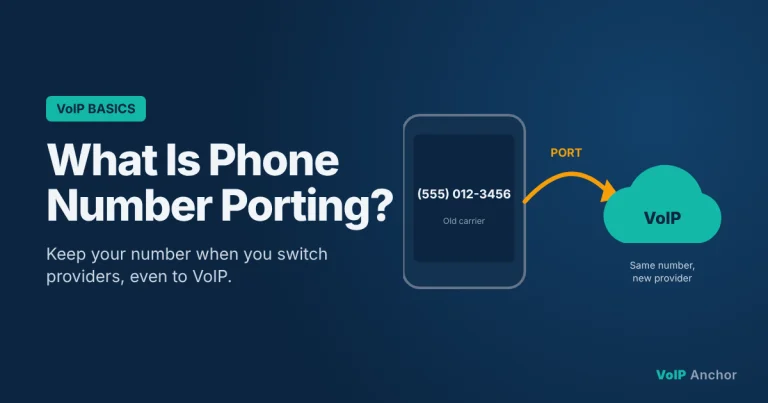
Ask whether you can port your current number to the new provider. Do not cancel the old service until the number transfer is complete.
Talk with VoIP providers about the team’s expected use, not just its head count. Ask what the quoted service includes and what happens when a call or connection problem arises.
Match the service and support model to the team’s needs, then test the actual setup before relying on it.
Why Do Cellular Networks Use VoIP Too?
A mobile phone can place a normal carrier call over 4G or 5G without opening a separate calling app. Carrier-managed voice can use IP technology behind the scenes.
VoLTE carries calls over IP-based 4G LTE infrastructure, while Vo5G is its 5G counterpart. Vo5G is also called Voice over NR.
An app-based VoIP service is separate from carrier-managed VoLTE or Vo5G. The app relies on its own service and internet access, while the carrier manages voice as part of its mobile network.
VoLTE can provide HD voice and faster call setup than circuit-switched voice. The mobile operator manages the service across its IP-based network.
Vo5G applies the same broad idea to 5G. These carrier-integrated services connect to mobile operators’ networks and the traditional telephone network.
That integration lets you call ordinary telephone numbers without asking the other person to use the same app. Carrier service also supports operator-managed emergency calling.
Wi-Fi calling is a carrier feature that routes carrier calls over Wi-Fi when supported. App-based VoIP remains a separate service model, even when both use the same Wi-Fi connection.
IP-based mobile voice is part of the wider shift in phone technology. Your own choice still depends on where you call and which service fits your needs.
Conclusion
Choose a call setup around how and where you need calls to work. VoIP carries calls over IP networks, and the right service depends on your devices, connection, and need for personal or business features.
List your calling needs, then check 911 support and number-porting options if they apply. Those details can affect whether a service fits your home or business.
Before switching, test the connection in the places and at the times you expect to call. Check the provider’s setup requirements and connection readiness before making the change.
FAQ
What are the disadvantages of VoIP phones?
VoIP phones depend on an internet connection and power, so outages can interrupt calls. Weak or busy connections can also affect sound. Emergency calling may work differently from a traditional landline, and some services need you to keep a service address current. Before relying on VoIP at home, know how you would call for help during a power or internet outage.
Should you answer a VoIP call?
You can answer a VoIP call, but the technology does not show whether the caller is trustworthy. Screen unfamiliar calls as you normally would, and do not share sensitive information just because the number looks local. Caller ID can be misleading. If a caller claims to represent a bank or business, contact that organization through a number you already know.
Can I keep my number with VoIP?
Often, you can keep your number through number porting, but availability depends on the number and provider. Ask the new provider whether it can transfer your specific number and how long the process may take. Do not cancel your current phone service before the transfer finishes. Cancelling early could disrupt the transfer or leave you without service.
Can I just plug a VoIP phone into my router?
A compatible IP phone can connect to a router by Ethernet or Wi-Fi, but plugging it in may not be enough. The phone also needs an active service and may need setup details from the provider. Check whether the model is supported, how it receives power, and whether the provider must provision it before calls work.
Can you tell if a phone number is a VoIP?
No, a number’s appearance alone does not reliably show whether it uses VoIP. Numbers can move between providers and service types, and caller ID can be misleading. A familiar area code does not prove that a call comes from a local landline or person. Treat unexpected requests for money or private details with care, whatever the number looks like.
What is the typical cost of a VoIP phone per month?
There is no universal monthly price for a VoIP phone or service. A bill may include a per-user or service charge, plus equipment, setup, support, or optional features. A $15-$25 monthly SIP trunk example covers a trunk, not an entire phone system. Ask providers to separate recurring charges from hardware and one-time setup costs.
Which is better, wifi calling or VoIP?
Neither is universally better; each fits different needs. Wi-Fi calling extends a carrier’s mobile service over Wi-Fi, while app-based VoIP uses a separate calling service and internet access. If you want calls linked to your mobile number, Wi-Fi calling may suit you. If you need a shared business number or computer calling, an app-based service may be a better fit.

10 Comments