What is CPaaS? How It Works, 7 Use Cases and Examples
CPaaS powers the texts, calls and verification codes inside the apps you use every day. Here is what CPaaS is, how it works, and why more businesses are building on it.

VoIP Anchor is independent. No provider pays to be featured or reviewed. Our disclosure
On this page
The verification code that arrives when you log in to your bank, the text confirming your delivery, the call from a ride-share driver whose real number you never see: chances are, all of them run on CPaaS.
This guide explains what CPaaS is, how it works behind the scenes, the channels it covers, the most common use cases, what it costs, and how it compares with UCaaS and CCaaS. It also covers the compliance rules that apply when you send business texts and calls, and what to look for in a provider.
Key takeaways
- CPaaS (Communications Platform as a Service) gives developers APIs to add calling, messaging, video and verification to their own apps.
- The provider handles phone numbers, carrier connections and scaling, so businesses don’t need their own telecom infrastructure.
- Pricing is usually pay-as-you-go: per message, per minute or per verification, plus a monthly fee per phone number.
- CPaaS is for building custom communication features. UCaaS and CCaaS are ready-made tools for staff and contact centres.
- Compliance, such as A2P 10DLC registration for business texting, is still the sender’s responsibility.
What is CPaaS?
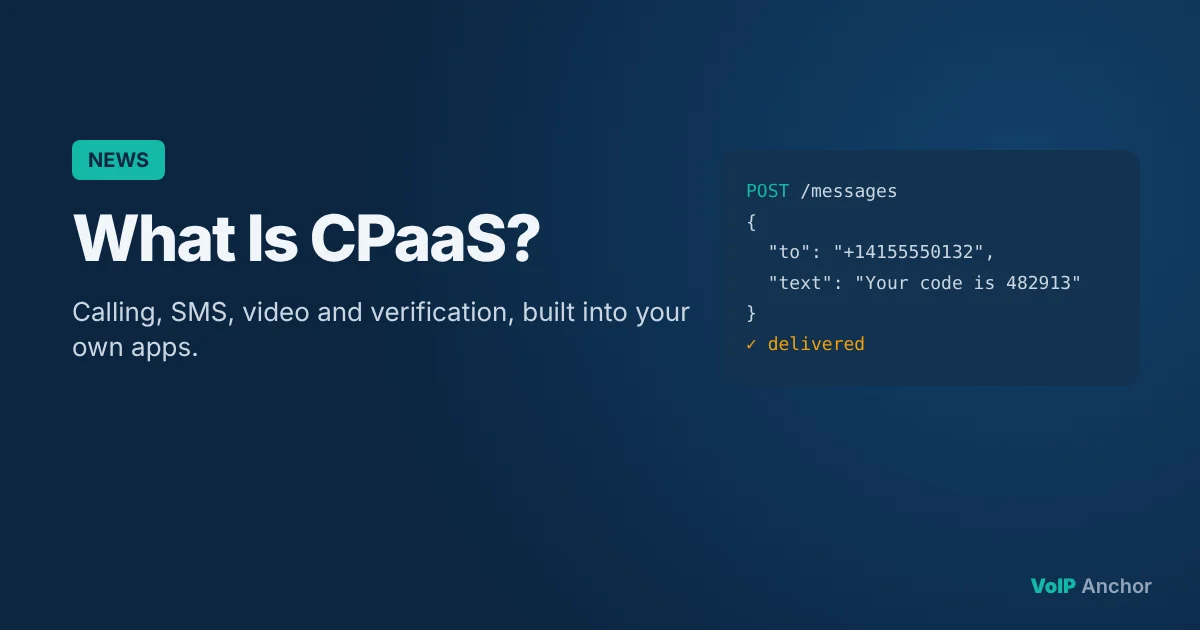
CPaaS stands for Communications Platform as a Service. It’s a cloud platform that lets developers add communication features, such as voice calls, SMS, video, chat and verification, into their own apps, websites and business systems through APIs (application programming interfaces).
Before CPaaS, adding calling or texting to a product meant buying telecom hardware, negotiating with carriers in every country and maintaining complex infrastructure. CPaaS turns all of that into a few lines of code. A developer can write “send this text to this number” or “when a call comes in, play this message and route it to sales”, and the platform does the rest.
What the provider takes care of
- Phone numbers in many countries, including local, toll-free and mobile numbers.
- Carrier connections that deliver calls and messages to any phone network.
- Scaling, so the same code works for ten messages or ten million.
- Reliability, with redundant networks and delivery tracking.
- Developer tools, such as documentation, code libraries and testing tools.
Well-known CPaaS providers include Twilio, Telnyx, Vonage, Sinch, Plivo and Bandwidth. Many business phone, dialer and texting apps are themselves built on top of these platforms.
How CPaaS works
- A developer signs up with a CPaaS provider and gets API keys to authenticate requests.
- They buy or port phone numbers through the provider’s dashboard or API.
- The app sends API requests to place calls, send messages, start video sessions or trigger verification codes.
- The provider delivers the call or message over its carrier network and returns a status: queued, sent, delivered or failed.
- Incoming events come back through webhooks. When someone replies to a text or calls a number, the provider sends the details to the app, which decides how to respond.
- The app logs and reports on activity, costs and delivery, often using the provider’s analytics.
A simple example
An online clinic wants to cut missed appointments. Its booking system uses a CPaaS API to send a text reminder 24 hours before each appointment. If the patient replies “C”, a webhook tells the booking system to confirm the slot. If they reply “R”, the system sends a link to reschedule. No one at the clinic has to make a single call.
Channels CPaaS platforms cover
Most CPaaS providers offer several channels through one account, so you can reach customers wherever they prefer:
| Channel | Typical uses |
| SMS and MMS | Alerts, reminders, two-way customer texting, verification codes |
| Voice | Inbound and outbound calls, IVR menus, call tracking, masked calling |
| Messaging apps (WhatsApp, RCS) | Rich customer conversations with images, buttons and read receipts |
| Video | Telehealth, tutoring, in-app support sessions |
| Verification | One-time passcodes and identity checks across channels |
| Receipts and notifications alongside other channels (some providers) |
7 common CPaaS use cases
Verification and two-factor authentication
One-time passcodes by SMS, voice or messaging apps help confirm a user’s identity at sign-up, login or checkout. Many providers offer dedicated verification APIs that manage code generation, delivery and fraud checks.
Notifications and alerts
Delivery updates, fraud alerts, outage notices and payment reminders reach customers instantly on the channel they’re most likely to see.
Appointment reminders
Clinics, salons, repair services and schools send automated texts or calls with reply-to-confirm, reducing no-shows without extra admin work.
Masked calling and texting
Marketplaces, delivery and ride-share apps connect two people through a temporary number so neither sees the other’s personal number.
In-app voice and video
Telehealth consultations, tutoring sessions and support calls happen inside the app, without anyone needing to share a phone number.
Custom contact centres
Businesses build call routing, IVR menus, queues and agent dashboards tailored to their workflow, instead of adapting to an off-the-shelf tool.
Business phone and SMS products
Many VoIP, dialer and business texting apps for small businesses are built on CPaaS platforms, adding their own interface and features on top.
CPaaS vs UCaaS vs CCaaS
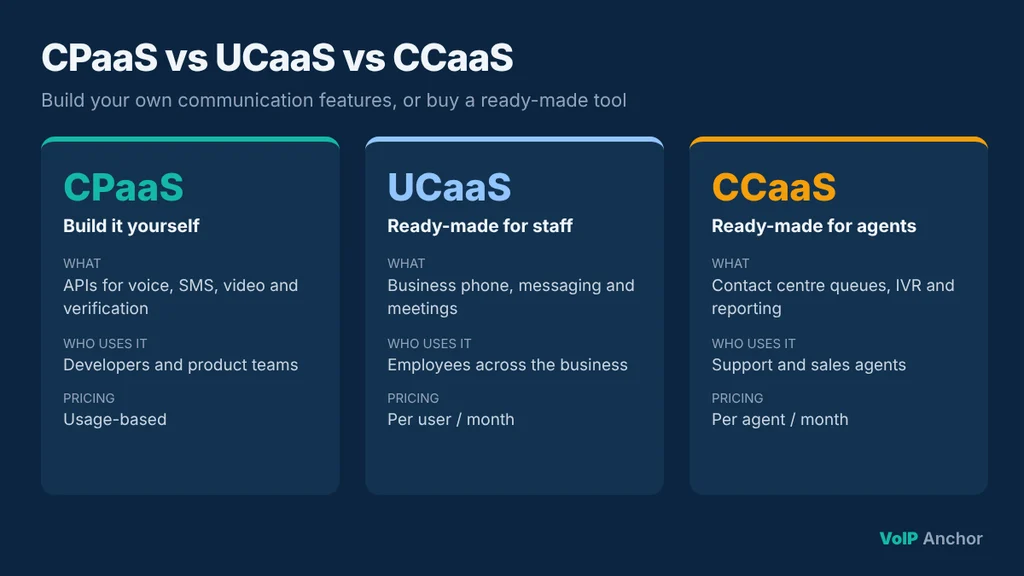
The three terms are often confused. The key difference is whether you build the tool yourself or buy a ready-made one.
| CPaaS | UCaaS | CCaaS | |
| What it is | Communication building blocks (APIs) | Ready-made business phone, messaging and meetings | Ready-made contact centre software |
| Who uses it | Developers and product teams | Employees across the business | Support and sales agents |
| Customisation | Very high: you build what you need | Configure settings within the product | Configure workflows within the product |
| Pricing | Usage-based | Per user per month | Per agent per month |
| Example need | Send order updates from our app | Give our team business phone numbers | Run a 20-agent support line |
Many organisations use more than one. A company might use UCaaS for staff phones and meetings, CCaaS for its support team, and CPaaS to send order notifications from its own app.
Benefits of CPaaS
- Speed to market: launch calling or texting features in days instead of building telecom infrastructure.
- Flexibility: design exactly the workflow you need instead of adapting to an off-the-shelf tool.
- Scale: send a handful of messages or millions, and pay only for what you use.
- Global reach: numbers and carrier connections in many countries through one provider.
- Better customer experience: reach customers on the channels they prefer, with messages triggered at the right moment.
- Integration: connect communication to your CRM, booking system or app data, so messages are personal and relevant.
Challenges to plan for
Development skills
CPaaS needs developers to build, test and maintain the integration. Low-code tools and pre-built templates help, but someone still needs to own it.
Costs that grow with usage
Usage pricing is great when volumes are low, but it can climb quickly with high volumes, international traffic or carrier fees. Set budgets and alerts.
Compliance is your job too
US business texting usually requires A2P 10DLC registration or toll-free verification. Calling must follow TCPA rules, and providers sign calls under STIR/SHAKEN. The provider gives you the tools, but your use case, consent and content must comply.
Deliverability
Spam filters and carrier rules can block messages and calls that aren’t registered, lack consent or look like spam. Clean lists, clear opt-outs and registered numbers all help.
How CPaaS pricing works
Most CPaaS providers charge for:
- Messages: a fee per SMS or MMS segment sent or received, plus carrier fees that vary by country and number type.
- Voice minutes: per-minute rates for inbound and outbound calls, often different for mobile and landline destinations.
- Phone numbers: a monthly fee for each number you rent.
- Verification: a fee per successful verification on dedicated APIs.
- Extras: recording storage, transcription, AI features and premium support.
Many providers offer volume discounts or committed-use plans. Before choosing, estimate your monthly volumes and compare total cost, not just the headline rate per message.
How to choose a CPaaS provider
- Coverage: does it offer numbers and reliable delivery in the countries you need?
- Channels: does it support every channel on your roadmap, such as SMS, WhatsApp, voice and video?
- Developer experience: are the documentation, code libraries and testing tools clear?
- Compliance support: does it help with 10DLC registration, toll-free verification and consent management?
- Pricing transparency: are carrier fees and extras easy to understand?
- Reliability and support: what uptime does it commit to, and how quickly can you reach help?
Where CPaaS is heading
CPaaS providers are moving beyond simple APIs. Recent developments include AI voice agents that can answer and place calls, richer messaging channels such as RCS and WhatsApp, and stronger fraud prevention and verification tools. Tighter regulation around business texting and caller ID authentication is also pushing providers to build more compliance tools into their platforms.
Frequently asked questions
What does CPaaS stand for?
Communications Platform as a Service: a cloud platform that provides APIs for adding voice, messaging, video and verification to apps.
What is an example of CPaaS?
A delivery app sending order updates by SMS through an API is a typical example. Providers such as Twilio and Telnyx are common CPaaS platforms.
Is CPaaS the same as VoIP?
No. VoIP is the technology for making calls over the internet. CPaaS uses VoIP and other technologies to give developers programmable communication features.
Do small businesses need CPaaS?
Most small businesses use ready-made tools such as business phone apps instead. CPaaS makes sense when you need custom communication features in your own software.
Is CPaaS expensive?
It depends on volume. Usage-based pricing keeps costs low for small volumes, but high volumes or international traffic can add up. Many providers offer discounts for committed volumes.
Do I need to register to send business texts in the US?
Usually, yes. Application-to-person texting on local numbers typically requires A2P 10DLC registration, and toll-free numbers need verification.
Final thoughts
CPaaS is the layer behind much of the texting, calling and verification we use every day. For businesses with development resources, it offers a fast and flexible way to build communication into their own products, from appointment reminders to full contact centres.
For everyone else, it’s still worth understanding, because many of the phone and messaging tools you already use are built on top of it. Whichever route you take, plan for compliance and costs from the start.